SSL/TLS & Digital Certificates Explained — How Websites Stay Secure
A digital certificate helps your browser verify who controls a website, while TLS protects the connection from eavesdropping and alteration. This guide explains the trust chain, shows how to inspect common failures, and clarifies what HTTPS does not protect.
Modern websites use TLS, usually TLS 1.3 or TLS 1.2, together with an X.509 certificate. The certificate binds a public key to a domain or organization, and the TLS handshake uses that verified key material to establish encrypted session keys. “SSL certificate” remains common wording, but SSL itself is obsolete and should not be enabled.
TLS protects the journey. Certificates establish who is at the other end.
Those two jobs are related but not interchangeable. The cards below answer the three most common exam-style and troubleshooting queries without the usual ambiguity.
How is SSL used for a secure transaction?
In current systems, TLS replaces SSL. Before sensitive data moves, the client validates the server certificate, negotiates cryptographic parameters, derives temporary session keys, and then sends encrypted, integrity-protected records.
See the handshake →Which OSI layer does SSL/TLS operate at?
TLS sits above TCP and below application protocols such as HTTP. Many teaching models place it around the session or presentation layers, but real implementations do not map cleanly to a single OSI layer.
Read the precise answer →Which FTP alternative uses SSL/TLS?
FTPS is FTP protected by TLS. SFTP is also secure, but it runs over SSH rather than TLS. The names sound similar, so always confirm which protocol the server actually supports.
Compare FTPS and SFTP →A certificate is a signed identity record for a public key
A public-key certificate contains a subject, public key, issuer, validity window, permitted uses, and a digital signature. For a website, the subject alternative name normally lists the hostnames the certificate covers. A browser accepts the certificate only when the name matches, the dates are valid, the signature chain reaches a trusted root, and policy checks succeed.
A certificate does not reveal the server’s private key. The private key stays under the certificate holder’s control and is used to prove possession during authentication. Saying that a certificate associates identity with a private key is therefore inaccurate. It associates identity with the corresponding public key.
Choose the answer path that matches your problem
Select an intent to reveal the most useful next step. This keeps owner recovery separate from unsafe attempts to bypass account or device protections.
Set up HTTPS without buying a certificate first
Start with your hosting provider’s certificate panel or an ACME client. Confirm the certificate covers every hostname, enable automated renewal, redirect HTTP to HTTPS, and test the complete chain before enabling HSTS.
Go to the setup methods →Digital Certificates
The right method depends on whether you are visiting a site, operating one, administering certificates on Windows, or protecting a different kind of asset entirely.
Check a website certificate before sharing sensitive data
Select the site information icon near the address bar, open the connection or certificate details, and verify the exact hostname, issuing authority, validity dates, and certificate path. A padlock shows that the connection is encrypted, not that the business is trustworthy or the page content is honest.
- Confirm the address uses HTTPS and the domain spelling is exact.
- Open the certificate viewer and inspect the subject alternative names.
- Check that the browser reports a valid chain and no date problem.
- Leave the page if the browser presents a certificate warning you cannot independently explain.
Issue and renew an SSL certificate through your host or ACME
Most hosting platforms now provide automated certificates. If yours does not, use an ACME-compatible client to prove control of the domain and install the issued certificate plus its intermediate chain. The private key should be generated and protected on infrastructure you control.
- Inventory the hostnames, including the www and non-www variants you actually serve.
- Choose domain validation, organization validation, or another certificate type based on identity requirements rather than encryption strength.
- Automate issuance and renewal, then alert before expiration.
- Test TLS 1.3 and TLS 1.2, remove older protocols, and serve every page through HTTPS.
Inspect digital certificates in Windows
Windows keeps user and machine certificates in separate stores. Use Certificate Manager for the current user or the Microsoft Management Console snap-in for the local computer. Remove a trust anchor only when you know who installed it and what applications depend on it.
- Press Windows + R and run
certmgr.mscfor the current user. - For computer-wide certificates, open
mmc.exeand add the Certificates snap-in for the computer account. - Inspect Intended Purposes, Certification Path, Thumbprint, and validity.
- Export a backup only when the private key is marked exportable and you can protect the resulting file.
Use FTPS when FTP must be protected with TLS
FTPS adds TLS authentication and encryption to FTP. It can run in explicit mode, where the client upgrades an ordinary FTP connection, or implicit mode, where protection is expected immediately. SFTP is a different protocol that uses SSH and is often simpler through firewalls.
| Protocol | Security layer | Typical port | Operational note |
|---|---|---|---|
| FTPS explicit | TLS | 21 plus data ports | Starts as FTP, then negotiates protection. |
| FTPS implicit | TLS | 990 plus data ports | Encryption begins immediately. |
| SFTP | SSH | 22 | Single protocol and usually easier firewall handling. |

Use a regular USB as a security key: what is and is not possible
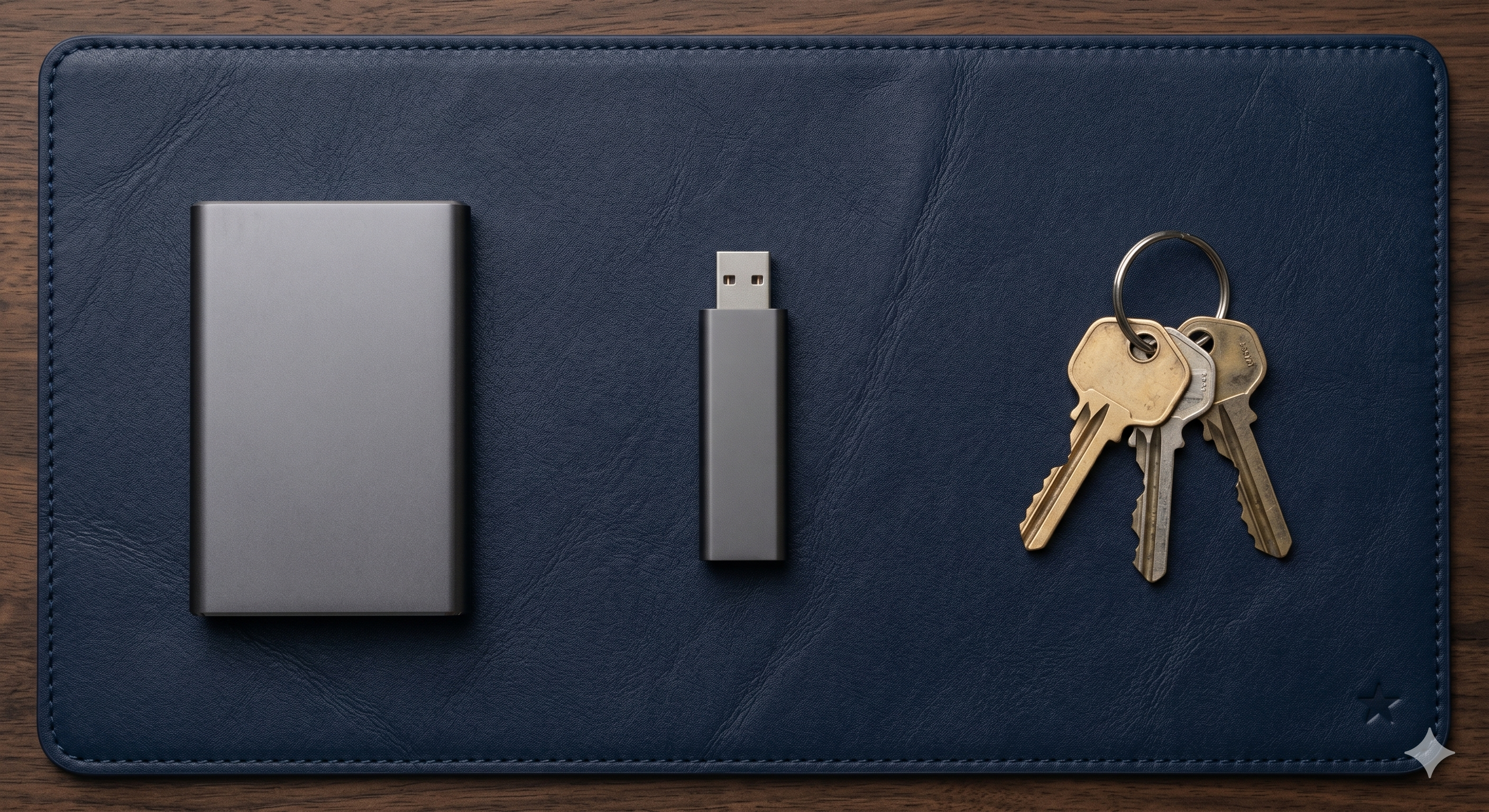
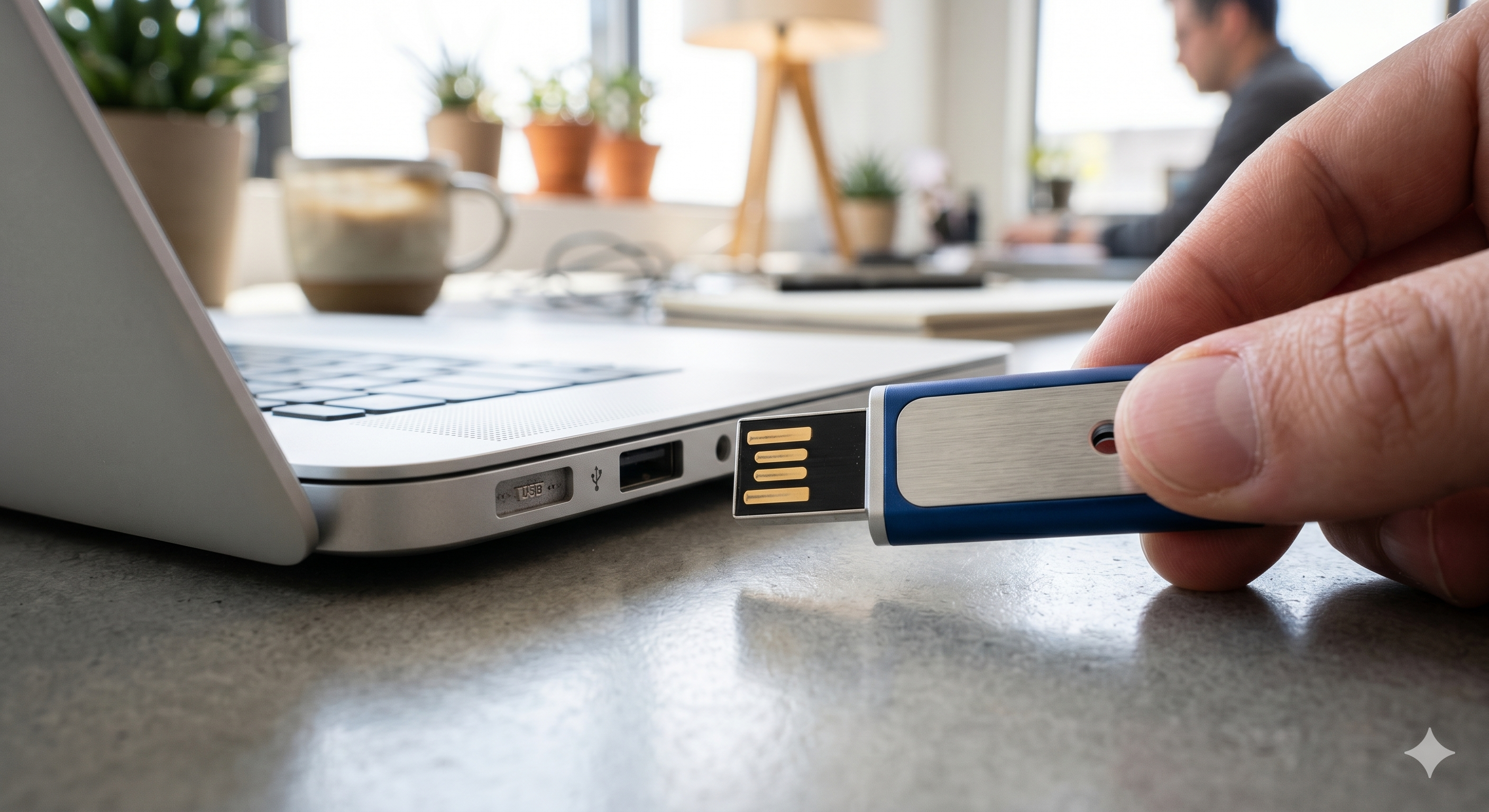
An ordinary USB flash drive cannot become a FIDO2 security key through formatting, copying software, or renaming the drive. A FIDO2 authenticator contains specialized hardware and firmware that generates and protects device-bound private keys. Purchase a compatible FIDO-certified key for Microsoft, banking, or WebAuthn sign-in.
A standard flash drive can serve other security roles, such as storing an offline recovery file or a BitLocker startup key on supported configurations. That does not turn it into a phishing-resistant FIDO2 authenticator.
Code and command reference
Run these checks only against systems you own or are authorized to administer. Replace the example hostname before use.
openssl s_client -connect example.com:443 -servername example.com -showcertsopenssl s_client -connect example.com:443 -servername example.com </dev/null 2>/dev/null | openssl x509 -noout -dates -issuer -subject -ext subjectAltNameGet-ChildItem Cert:\CurrentUser\My | Select-Object Subject, Issuer, NotBefore, NotAfter, Thumbprintcurl -Iv https://example.com/How to Audit Your Digital Certificates & SSL/TLS Security Setup
Check each control you have verified. The score is a readiness indicator, not a penetration test or compliance certification.
Certificate chain of trust — root CA → intermediate CA → leaf certificate
A browser begins with trust anchors already stored in the operating system or browser. The website sends its leaf certificate and usually the necessary intermediate certificate. The browser verifies each signature upward, applies name and policy constraints, checks validity, and decides whether the path terminates at an accepted root.
Keeping the root key offline or tightly isolated reduces exposure. Intermediate authorities handle routine issuance and can be replaced or constrained without changing every trust store.
Some clients may build the path from cached data, while others fail with an incomplete-chain error. Servers should present the leaf and appropriate intermediates, but normally not the root.
CRLs and OCSP can indicate that a certificate should no longer be trusted before its scheduled expiration. Availability, privacy, caching, and browser policy affect how strictly those signals are enforced.
How SSL Protocol is Used for Secure Transaction
The familiar phrase says SSL, but the safe modern process is a TLS handshake followed by protected application records.
The client proposes capabilities
The browser sends a ClientHello containing supported protocol versions, cipher suites, key-share information, a random value, and the requested server name.
The server chooses parameters
The server selects mutually supported options and returns its key-share data. In TLS 1.3, the handshake is designed to reduce round trips and remove many older choices.
The server proves its identity
The server supplies its certificate chain and signs relevant handshake data. The browser checks the domain, dates, chain, permitted use, and signature.
Both sides derive session keys
Key agreement produces shared secrets without sending the final traffic keys across the network. Separate keys protect each direction of communication.
The transaction moves through encrypted records
HTTP requests, cookies, form submissions, and responses are encrypted and authenticated in transit. The endpoint still sees the plaintext because it must process the request.
SSL Architecture in Network Security

Protocol position
- Above TCP
- TLS typically relies on TCP for ordered, reliable delivery.
- Below the application
- HTTP, SMTP, IMAP, database protocols, and others can run over TLS.
- OSI teaching answer
- Often described near session or presentation functions.
- Operational answer
- A security layer inserted between transport and application protocols.
Certificate formats
- PEM
- Base64 text bounded by BEGIN and END labels. Common for certificates and keys.
- DER
- Binary ASN.1 encoding, often used by Windows and Java tooling.
- PKCS #12 / PFX
- Container that can include a certificate, private key, and chain. Protect it with a strong password.
- CSR
- A signing request containing the public key and requested identity information, signed by the requester’s private key.
Secure configuration
- Protocols
- Prefer TLS 1.3 and support TLS 1.2 only where needed. Do not enable SSL or deprecated TLS releases.
- Ciphers
- Use authenticated encryption suites and remove anonymous, export, null, and other legacy options.
- Keys
- Restrict access, separate environments, rotate after compromise, and avoid reusing broad wildcard keys across unrelated systems.
- Headers
- Use HSTS after a controlled rollout and mark session cookies Secure.
SSL Certificate
Free and paid certificates can provide the same transport encryption strength. The meaningful differences are validation, support, warranties, management services, and operational fit.

| Option | Cost | Identity checking | Automation | Best for | Watch for |
|---|---|---|---|---|---|
| Free DV certificate | Free | Domain control | Usually excellent through ACME | Most websites, APIs, and personal projects | Short lifetimes require reliable renewal automation |
| Paid DV certificate | Paid | Domain control | Varies by vendor | Teams that value vendor support or bundled management | Paying does not automatically improve encryption |
| OV certificate | Paid | Domain plus organization vetting | Varies | Organizations with policy or contractual identity requirements | Browsers do not present a dramatic user-facing distinction |
| Private CA certificate | Internal cost | Organization-defined | Can be automated | Managed devices, service-to-service TLS, internal networks | Clients must trust the private root securely |
| Editorial verdict | For most public websites, an automated DV certificate with strong TLS configuration is the practical default. Pay when support, policy, or managed-certificate services solve a real operational need. | ||||
Common errors and fixes

| Problem | Likely cause | Supported fix |
|---|---|---|
| Expired SSL certificate | Renewal failed, the wrong certificate is bound, or a proxy still serves an old copy. | Renew through the issuer, install the complete chain, reload the service, and verify every edge endpoint. |
| Name mismatch | The requested hostname is absent from the subject alternative names. | Issue a replacement covering the exact hostnames. Do not tell users to ignore the warning. |
| Untrusted issuer | Private CA not installed, missing intermediate, or inspection software inserted a local issuer. | For public sites, serve the correct intermediate. For managed devices, contact the administrator before changing trust stores. |
| Certificate works in one browser only | Cached intermediates, different trust stores, outdated client, or enterprise policy. | Test with a clean client, update the device, and inspect the path in the failing browser. |
| Netflix reports an SSL connection error | Incorrect device clock, stale app, captive portal, proxy/VPN interference, or network certificate inspection. | Correct date and time, update the app and OS, sign into the network portal, and test without a proxy you control. Use official account recovery if sign-in remains blocked. |
| “Insert your security key into the USB port” | The account is waiting for a registered FIDO2 authenticator. | Insert the registered hardware key, touch its sensor when prompted, or choose an account recovery method already configured by the owner. |
| Lost access to a private key | The key was deleted, device failed, or backup was never created. | Issue a new key pair and certificate. Revoke the old certificate when compromise is possible. A certificate authority cannot reconstruct your private key. |
| Handshake fails after hardening | A legacy client supports only deprecated protocols or cipher suites. | Update or isolate the client. Avoid weakening the primary public endpoint for obsolete software. |
TLS ends at the device. Your downloaded files still need protection.
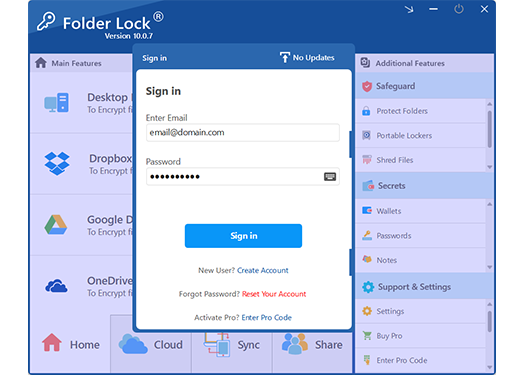
Folder Lock 10 is relevant after a secure transfer completes. It creates encrypted lockers for local files and can place protected data in supported cloud-storage locations. The Windows edition also includes extra Safeguard tools for access control, portable lockers, secure deletion, and privacy cleanup.
We recommend it when you need one workflow for local encryption, supported cloud lockers, and cross-device access. It is not a certificate manager, TLS scanner, backup replacement, FIDO2 key, or substitute for full-disk encryption.

Protected storage workflow
What Folder Lock 10 adds after the connection is secure
Encrypted storage
- Desktop Locker
- Designed for files that should remain encrypted on the computer.
- Supported cloud lockers
- Separate lockers can work with Dropbox, Google Drive, and OneDrive.
- Cross-device access
- Apps are available for Windows, macOS, Android, and iOS, with platform-specific differences.
- Sharing
- Pro users can authorize other users without handing everyone the same locker password.
Windows Safeguard
- Protect folders
- Applies Windows-level locking and hiding controls without converting the folder into a portable document format.
- Portable Lockers
- Creates an encrypted locker file intended for transport, including on removable storage.
- Shred files
- Supports deliberate deletion workflows for data you no longer need. Use carefully and keep backups of anything important.
- Clean history
- Removes selected Windows activity traces. It does not erase server logs, cloud records, or browser data stored elsewhere.
Secrets
- Passwords and notes
- Stores selected credentials and private notes in the product’s protected area.
- Wallet records
- Organizes structured personal and financial details.
- Best for
- Users who prefer one encrypted workspace for files and selected private records.
- Not ideal for
- Teams needing enterprise certificate lifecycle management, endpoint DLP, or hardware-backed identity keys.
Windows, macOS, Android, and iOS are not identical editions

| Platform | What stands out | Important boundary |
|---|---|---|
| Windows | Desktop and supported cloud lockers, sharing, Secrets, and the broadest Safeguard toolset. | Protect Folders is access control; Portable Lockers are the transportable encrypted format. |
| macOS 13+ | Desktop and cloud lockers, sharing, synchronization, and Secrets in a Mac-focused edition. | The Windows Safeguard group is not included in the Mac edition, so feature parity should not be assumed. |
| Android | Private media, documents, audio, notes, wallets, cloud features, access-attempt logging, app locking, and a private browser. | Mobile app locking does not replace Android device encryption or account security. |
| iOS/iPadOS | Private media and files, notes, wallets, cloud features, access-attempt logging, Wi-Fi transfer, and a private browser. | Wi-Fi transfer should be used on a trusted local network and is not a substitute for authenticated cloud sharing. |
How to protect files received over HTTPS using Folder Lock 10

This workflow begins after you have downloaded a document from a verified HTTPS site. It does not change the website’s certificate or TLS settings.
Verify the download source
Confirm the domain, certificate status, expected file name, and publisher information. Scan the file before opening it.
Install the correct platform edition
Use the official NewSoftwares download or the relevant platform store. Windows offers the fullest feature set, while Mac and mobile workflows differ.
Create and test a locker
Start with a noncritical test file, close the locker, reopen it, and confirm that you understand the password and account recovery boundaries before moving originals.
Move the sensitive file into the appropriate locker
Use a Desktop Locker for local encrypted storage or a supported cloud locker when you need protected synchronization. Keep an independent backup of important source material.
Verify access on the devices you actually use
Confirm the file opens from the intended platform and account. Do not assume every desktop Safeguard feature exists on mobile or macOS.
Folder Lock 10 Pricing: What You Get
Use the comparison toggle to focus on the edition you are considering. Product capabilities and billing can vary by platform, so the official checkout page remains the final source.
Best for evaluation and smaller lockers
The free Windows tier includes a 1 GB locker allowance and synchronization across two devices. It is useful for testing the interface and confirming that the locker workflow fits your needs before subscribing.
- Local encrypted locker use within the free limit
- Mobile applications available
- Protected storage for supported Secrets such as passwords and private notes
- Sharing and some Windows Safeguard capabilities are limited or unavailable
Best for larger lockers, more devices, and sharing
The current official store identifies Folder Lock 10 Pro as a yearly subscription. Pro removes the free tier’s 1 GB ceiling, supports up to five synced devices, and unlocks sharing plus the broader Windows feature set.
- Locker capacity without the free tier’s 1 GB ceiling
- Up to five synchronized devices
- User sharing
- Portable Lockers and Protect Folders on Windows
Match the edition to your needs
Select every requirement that applies. The result updates without sending your choices anywhere.
The Most Common Ways Personal Data Gets Compromised
Secure transport, unsafe endpoint
TLS may deliver data safely to a legitimate service that stores too much, retains it indefinitely, or grants broad employee and vendor access. Encryption in transit is one control, not a complete privacy program.
Phishing on an encrypted website
Attackers can obtain valid certificates for domains they control. Check the exact domain, the request being made, and the surrounding context rather than treating the padlock as a reputation badge.
Reused credentials and session theft
A secure channel cannot rescue a reused password entered into the wrong site. Use passkeys or FIDO2 keys where supported, unique credentials elsewhere, and secure session-cookie settings.
Unprotected downloaded files
Once a statement, export, or identity document reaches a device, local permissions, encryption, backups, and safe deletion determine what happens next.
How data brokers collect and sell your personal data
Data brokers assemble records from public filings, commercial partners, advertising identifiers, loyalty programs, app activity, inferred interests, and prior purchases. HTTPS prevents a nearby observer from casually reading a protected session, but it does not stop the service itself from collecting data you provide or generating behavioral records.
Reduce exposure by sharing fewer optional fields, limiting advertising identifiers, reviewing app permissions, using separate email aliases where practical, and submitting opt-out or deletion requests to brokers that cover you. Record the date, confirmation number, and follow-up deadline for each request.
GDPR and CCPA — your rights explained simply
| Right | GDPR overview | California CCPA overview | Practical request |
|---|---|---|---|
| Know / access | Ask what data is processed and obtain access. | Ask what categories and specific information were collected, used, shared, or sold. | Request a readable copy plus purposes, sources, retention, and recipient categories. |
| Correct | Request correction of inaccurate or incomplete data. | Request correction of inaccurate personal information. | Identify the exact field and provide reliable supporting information. |
| Delete / erase | Request erasure in qualifying circumstances, subject to exceptions. | Request deletion of information collected from you, subject to exceptions. | Ask the business to confirm completed deletion and any applicable exception. |
| Object / opt out | Object to certain processing, including direct marketing. | Opt out of sale or sharing and limit certain uses of sensitive information. | Use the privacy choices link and enable Global Privacy Control where appropriate. |
| Portability | Receive qualifying data in a structured machine-readable format. | Access rights may support portable delivery, depending on the request and business. | Ask for CSV, JSON, or another reusable format rather than screenshots. |
This section is general educational information, not legal advice. Eligibility, exceptions, verification steps, and response deadlines depend on jurisdiction and circumstances.
Free Tools for Digital Certificates & SSL/TLS Security
Use these tools to prioritize action. They do not upload data or call an external service.
Personal data risk score calculator
Data breach impact estimator
Privacy tool recommendation quiz
TLS decision tree
Are you seeing a certificate warning on a public website?
Timeline: how a data breach unfolds
Tools to remove your data from the internet
Manual requests
- Search and inventory
- List old accounts, people-search profiles, data broker pages, and public documents you can lawfully request to change.
- Submit requests
- Use official privacy forms, verify identity carefully, and save confirmation records.
- Repeat checks
- Profiles can reappear as sources refresh, so schedule periodic searches.
- Know the boundary
- Removal services cannot erase accurate public records, news reporting, or copies outside their coverage.
Paid services
- What you buy
- Convenience, recurring scans, request tracking, and coverage across a vendor’s supported broker list.
- What to inspect
- Coverage, identity verification handling, cancellation, data retention, and whether reports show completed removals.
- Free alternative
- Manual opt-outs cost time but give you direct control over which identity documents you share.
- Editorial view
- Pay when recurring labor is the problem, not because a service can guarantee total removal.
How to use privacy-focused browsers and search engines

Choose a browser that receives prompt security updates, blocks known tracking techniques, isolates site data, and supports strong HTTPS behavior. Configure third-party cookie controls, remove extensions you do not need, and use encrypted DNS only with a resolver whose privacy policy you accept.
A privacy-focused search engine can reduce search-profile collection, but the destination website still sees your visit and may identify you through logins, browser signals, or network information. Private-browsing mode mainly limits local history and cookies after the session; it does not make you anonymous to websites, employers, schools, or Internet providers.
Creating a personal data security plan in 5 steps
Map your highest-value accounts and files
Start with email, financial services, identity documents, recovery codes, private keys, and irreplaceable personal records.
Strengthen account authentication
Use passkeys or FIDO2 security keys where supported. Keep backup methods current and store recovery codes separately.
Protect data in transit and at rest
Use HTTPS and validated certificates for transfer, then encrypt sensitive files on devices and backups.
Reduce collection and retention
Close unused accounts, delete stale exports, limit permissions, and make privacy requests where they apply.
Prepare for failure
Maintain tested backups, an incident checklist, contact details for financial providers, and a plan to rotate compromised credentials or keys.
What the right combination looks like
“I run a small client portal and need visitors to trust the connection.”Use automated public certificates, modern TLS, HSTS after testing, secure cookies, and a renewal alert.
“I download tax and identity documents to a family computer.”Verify the HTTPS source, scan the download, place it in encrypted storage, and keep a tested backup.
“Microsoft asks me to insert a USB security key.”Use the FIDO2 key previously registered to the account or a legitimate owner recovery method. A flash drive is not equivalent.
“My business still uses FTP with a partner.”Confirm whether FTPS or SFTP is supported, document certificate or SSH host-key validation, and restrict accounts to the needed directories.
What Experts Recommend for Digital Certificates & SSL/TLS Security
| Your situation | Recommended method | Is Folder Lock 10 a fit? | Honest alternative |
|---|---|---|---|
| Public website HTTPS | Automated CA certificate, TLS 1.3, TLS 1.2 fallback, renewal monitoring. | No. It does not configure a web server or manage certificates. | Hosting control panel or ACME client. |
| Internal service authentication | Private PKI or managed certificate service with lifecycle automation. | No for certificate lifecycle; possibly for selected exported files. | Enterprise PKI or cloud certificate manager. |
| Phishing-resistant account sign-in | Passkey or FIDO2 security key. | No. An encrypted file locker is a different control. | Platform passkeys or certified hardware authenticator. |
| Sensitive files on a Windows PC | Encrypted locker plus full-disk encryption and backup. | Yes, when its locker and sharing model fit your workflow. | Built-in device encryption or another audited file-encryption tool. |
| Prevent modification or deletion of Windows files | Access-control policy with backup. | Folder Protect can fit this narrower Windows use case. | NTFS permissions, controlled folders, and versioned backup. |
Related tools you might find useful

These tools are developed by NewSoftwares.net, the same team behind Folder Lock 10. Choose by control objective rather than buying overlapping products.
Digital certificates, TLS, USB keys, and privacy
What is Digital Certificates & SSL/TLS Security?
It is the combination of public-key certificates for identity and TLS for confidential, integrity-protected communication. The certificate helps the client authenticate the endpoint, while negotiated session keys protect the traffic.
How does digital certificates & SSL/TLS security work?
The client and server negotiate a TLS version and cryptographic parameters. The server presents a certificate chain, proves possession of the related private key, and both sides derive temporary traffic keys.
Is digital certificates & SSL/TLS security safe?
Modern TLS is a strong transport control when certificates, versions, ciphers, keys, and endpoints are configured correctly. It does not protect against phishing, malicious endpoints, insecure storage, or compromised devices.
Do I need an SSL certificate?
You need a trusted TLS certificate for any public website or API that serves HTTPS. Many hosts issue one automatically, and free automated certificates are suitable for most public sites.
Do I need to buy an SSL certificate?
Usually not. Buy when organization vetting, vendor support, managed lifecycle services, contractual requirements, or a specialized certificate type justifies the cost.
What is the risk of an expired SSL certificate?
Browsers and clients may block or warn on the connection because the certificate is outside its validity window. Users may abandon the service, automation may fail, and unsafe workarounds may train people to ignore warnings.
Is SSL 3.0 secure?
No. SSL 3.0 is obsolete and must not be enabled. Use TLS 1.3 and retain TLS 1.2 only where current compatibility requires it.
How secure is SSL encryption?
That wording hides an important distinction. Actual SSL versions are insecure. Properly configured modern TLS can provide strong confidentiality, integrity, and server authentication.
How does SSL (Secure Sockets Layer) operate at which layer of the OSI model relate to this topic?
TLS normally sits between TCP and the application protocol. Textbooks may associate its functions with the session or presentation layer, but operationally it is a distinct security layer used by application protocols.
Which of the following is a secure alternative to FTP that uses SSL for encryption?
FTPS is the answer because it applies TLS to FTP. SFTP is also secure, but it uses SSH rather than SSL or TLS.
What is a USB security key?
It is a hardware authenticator, commonly using FIDO2/WebAuthn, that stores device-bound private keys and proves user presence through a touch, PIN, or biometric step.
Can I use a regular USB as a security key?
Not as a FIDO2 authenticator. A normal flash drive lacks the required secure authenticator hardware and protocol. It can hold supported recovery material, but that is a different use.
How do I create a USB security key on Windows 11?
Purchase a compatible FIDO2 key, then open Settings, Accounts, Sign-in options, Security Key, and Manage. Register the key with each account that supports it and configure a backup sign-in method.
How do I insert a security key in a USB port?
Insert the registered hardware key directly or through a trusted adapter, wait for the prompt, and touch the sensor or enter its PIN as instructed. Do not plug in an unknown device received unexpectedly.
What is a USB security key for Bank of America?
Bank of America describes it as an optional FIDO2-certified USB authenticator for added sign-in protection and certain transfer workflows. Registration and supported-browser rules can change, so follow the bank’s current Security Center instructions.
What is the difference between data privacy and data security?
Privacy concerns whether data should be collected, used, shared, or retained. Security concerns how data and systems are protected from unauthorized access, alteration, loss, or disruption.
Does using a VPN fully protect my privacy?
No. A VPN changes who can observe part of your network traffic and can protect untrusted local-network paths, but websites, accounts, device identifiers, cookies, and the VPN provider can still identify activity.
What should I do if I lose a certificate private key or security key?
For a certificate key, generate a replacement pair, reissue the certificate, and revoke the old one if compromise is possible. For an account security key, use a previously configured backup method and remove the lost authenticator from the account.
In-depth answers and official references
Secure Server Protected By SSL
A secure server should now be protected by modern TLS, not legacy SSL. The server needs a valid certificate chain, safe private-key handling, supported protocol policy, secure cookies, and monitoring. A certificate by itself does not make application code secure.
Security Type SSL/TLS
Labels such as “SSL/TLS” in email clients and network tools usually mean the connection should begin with or upgrade to TLS. Confirm the expected port and whether the application uses implicit TLS or STARTTLS-style negotiation.
Digital certificate signature PDF
A PDF signing certificate serves a different purpose from a website TLS certificate. It signs document content so a reader can detect changes and evaluate signer identity. Do not assume an HTTPS certificate can be reused for document signing.
Protect the signing key, timestamp signatures where appropriate, and validate the certificate chain and revocation status in a trusted PDF viewer.
Dropbox SSL certificate download
Do not download and manually trust a certificate from an unofficial page to “fix” Dropbox. Update the application and operating system, inspect whether a managed network performs TLS inspection, and use official support for persistent certificate errors.
On a company device, certificate changes should be handled by the administrator rather than bypassed by the user.
Does Wix provide an SSL certificate?
Hosted website builders commonly provision certificates for connected domains, but availability and setup steps can change. Verify the current status in the site dashboard, ensure DNS points to the correct service, and confirm both apex and www hostnames validate.
Do not buy a second certificate until you have confirmed that the platform cannot manage the domain’s HTTPS configuration.
256-bit SSL security
“256-bit SSL” is marketing shorthand, not a complete security assessment. Modern TLS cipher suites may use AES-256 or other algorithms, but authentication, key exchange, protocol version, implementation quality, and key management all matter.
A larger number does not compensate for an expired certificate, weak private-key protection, or an unsafe endpoint.
Use certificates and TLS for trust in transit, then protect the data that remains
For most public websites, the strongest practical default is automated certificate issuance, TLS 1.3 with carefully justified TLS 1.2 compatibility, secure key handling, complete-chain testing, and renewal monitoring. Free certificates are usually sufficient because configuration and operations matter more than purchase price.
When sensitive documents reach your device, add local encryption, tested backups, strong account authentication, and data minimization. Folder Lock 10 is a reasonable fit for users who want encrypted lockers and supported cloud synchronization, especially on Windows, provided they understand that it does not manage certificates or replace device-wide security.